MailMaestro pricing
 TeamsMaestro pricing





How to rate TeamsMaestro summaries and transcripts
Rate any meeting's notes with a thumbs up or thumbs down. It takes one click and shows the TeamsMaestro team where the notes need work.
Sometimes the summary gets it exactly right. Sometimes it misses the one decision that mattered. Now you can say which, without leaving the meeting.
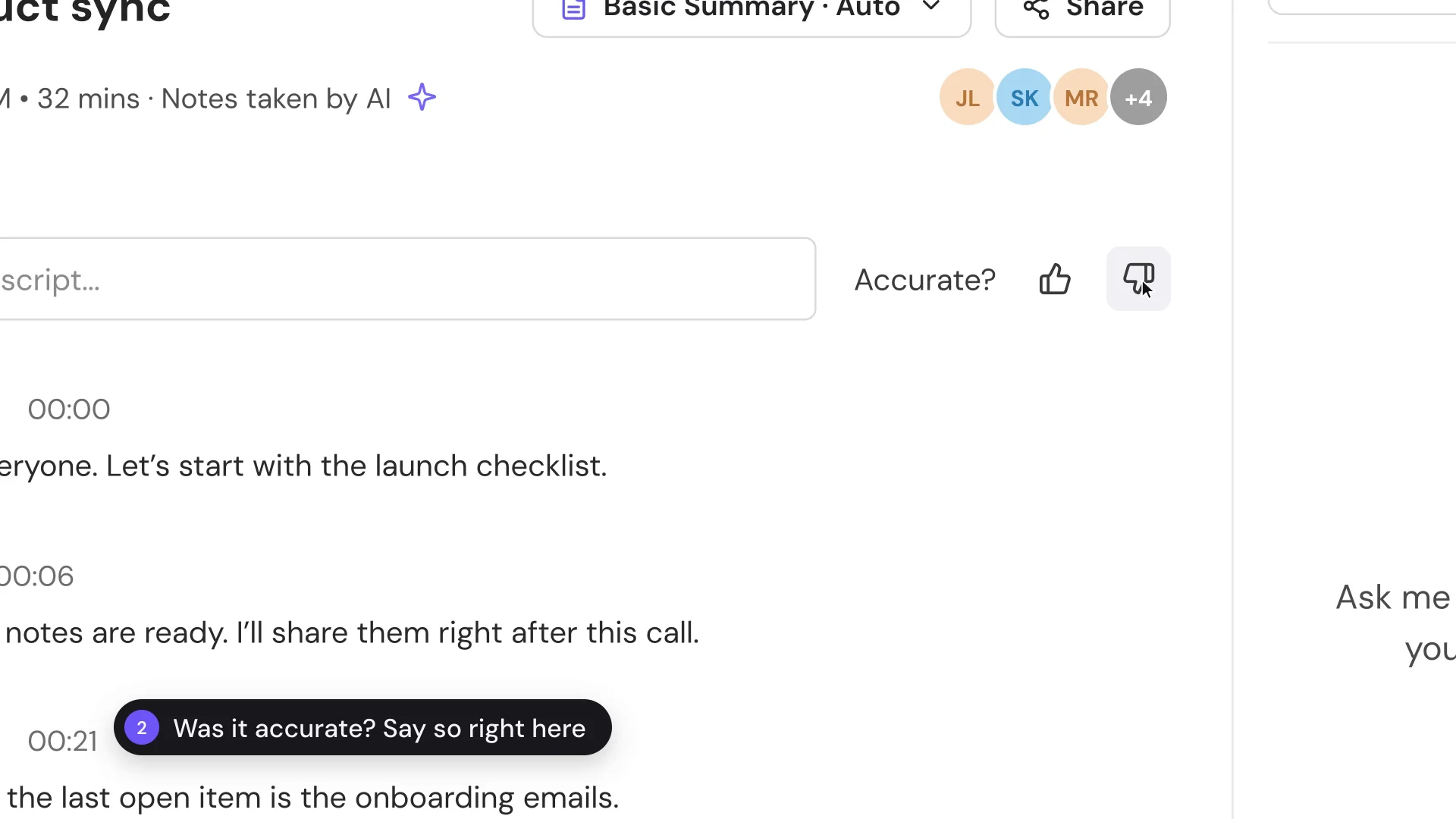
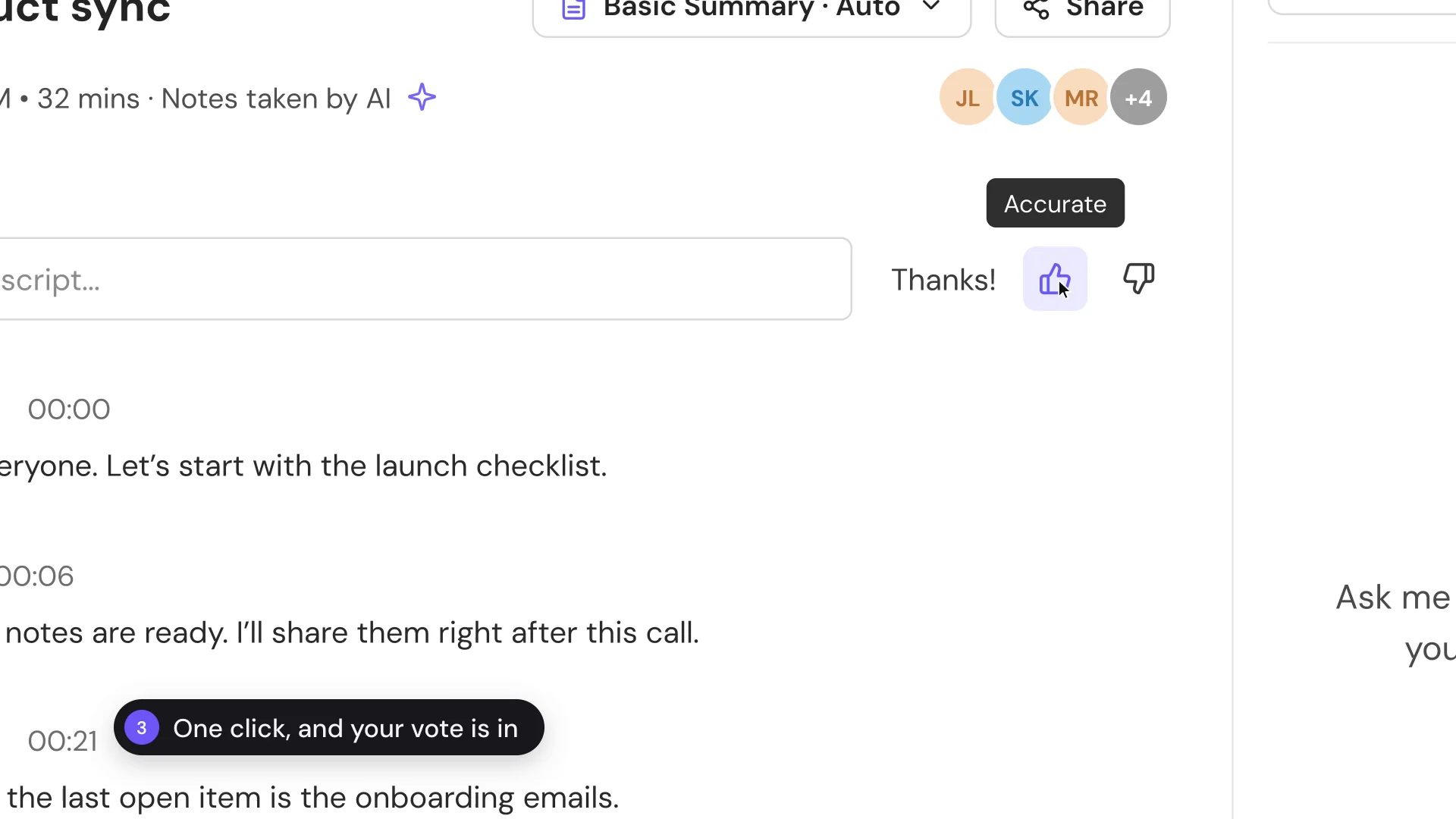
Every completed meeting in TeamsMaestro has a quick accuracy rating. Thumbs up if the notes got it right, thumbs down if they didn't.
How to rate a meeting's notes
- Open a completed meeting.
- Find Accurate? next to the transcript search.
- Click the thumbs up or the thumbs down.
That's it. The prompt changes to Thanks! and your rating is saved. There's no form to fill in.
When a rating is most useful
Rate the notes right after you've read them, while the conversation is still fresh. Meetings with a clear outcome are the easiest to judge: a project check-in, a launch review, or a call where a decision was made.
A thumbs down is as useful as a thumbs up. It shows the TeamsMaestro team where the notes fell short, so they know what to work on.
Make it part of your review
Read the summary, check the action items, rate it, and move on. It adds one click to a review you're already doing. TeamsMaestro takes the notes in your Teams meetings so you can focus on the conversation. Try it free.
Languages we support
TeamsMaestro currently supports a wide range of languages for meeting summaries, transcripts, and AI responses — from English and Spanish to French, German, and many more. Our goal is to make every team’s communication experience seamless and inclusive, no matter the language.


If your preferred language isn’t supported yet, we’d love your feedback! Email us at feedback@maestrolabs.com to request new languages or share examples of what you’d like to see. Your input helps us shape the next updates of TeamsMaestro.
Final thoughts
Meeting summaries are no longer one-size-fits-all. With the Language and Template buttons in TeamsMaestro, you can create tailored, polished notes in seconds. Use these tools to communicate clearly, reduce follow-up work, and keep everyone aligned, wherever they are and however they work.
Languages we support
MailMaestro currently supports a growing range of languages for composing, summarizing, and improving your emails. From English and Spanish to French, German, and beyond — we’re expanding our capabilities to make AI communication accessible for everyone.
If your preferred language isn’t available yet, we’d love to hear from you! Email us at feedback@maestrolabs.com to request new language support or share specific examples. We’re continuously improving with your input.