

 MailMaestro pricing
 TeamsMaestro pricing









Inbox overflowing? Calendar packed? Meetings everywhere? Tools like Fyxer AI are stepping in to help, acting as a digital executive assistant that sorts emails, drafts replies, finds time for calls, and even takes notes. For Gmail and Outlook users, it often feels like having a personal assistant built right into your inbox.
Fyxer brings plenty to the table, but no single tool fits every workflow. Some professionals want lighter automation, others need deeper collaboration, or simply prefer different pricing structures. That is where exploring Fyxer AI alternatives becomes valuable.
In this guide, we break down 12 of the best options, showing how they compare with Fyxer so you can quickly spot the one that matches your way of working.
What is Fyxer AI?

Fyxer is an AI email assistant that integrates with both Gmail and Outlook. It is designed to behave like an executive assistant, learning from your past emails to draft natural replies, organize your inbox, and keep your calendar under control. It is especially marketed toward executives who need their personal inbox to function at peak efficiency.
Core Features
- Organizes inboxes and calendars
- Drafts replies in your voice
- Triages emails automatically
- Suggests meeting times
- Takes meeting notes from video calls
- Summarizes threads and attachments (Pro+)
- HubSpot integration (Pro+)
- Bespoke onboarding and account manager (Pro/Enterprise)
- Enterprise security controls, SSO, and analytics
| Fyxer Pros | Fyxer Cons |
|---|---|
| AI-powered triage for chaotic inboxes | Higher pricing: $270 per year for Standard Plan, $450 per year for Professional |
| Drafts replies in your voice and adapts as Fyxer learns from past emails | Limited team collaboration and shared inbox functionality |
| Works across Gmail and Outlook accounts | No option to choose your AI model |
| Executive assistant features like scheduling and meeting notes | Onboarding can feel complex for small teams and solo professionals |
| Includes bespoke onboarding and account manager (Pro and Enterprise) | Not ideal for small businesses or solo professionals needing affordable pricing |
| Enterprise plan supports SSO, team analytics, and custom security | Limited integrations beyond HubSpot |
11 Best Fyxer AI Alternatives
Below are 11 alternatives to Fyxer AI, each compared side by side with Fyxer’s features and pricing.
1. MailMaestro – The Best All-Around Fyxer Alternative
MailMaestro is the best alternative to Fyxer because you get more for less.
You get the same email features, like reply drafting, inbox organization, and thread summaries. Plus, TeamsMaestro comes bundled with it, which records and summarizes Microsoft Teams calls into actionable notes. That's Fyxer's main feature right there.
The pricing tells the whole story: MailMaestro and TeamsMaestro together cost $25 a month. Fyxer costs $30 a month. You're paying $5 less for two complete products instead of one, plus better collaboration features, stronger security, and more customization options.
Just want email help? MailMaestro alone is $15 a month. That's half what Fyxer charges for the same quality email assistance.
Both have free trials. Whether you choose MailMaestro alone or the bundle, you're getting better value than Fyxer at a lower price.
| Feature | MailMaestro | Fyxer AI |
|---|---|---|
| Platforms | Gmail & Outlook | Gmail & Outlook |
| Inbox & Calendar Organization | Yes | Yes |
| AI Email Writer | Yes | Yes |
| Summarize Threads | Yes | Yes |
| Shared Inboxes & Team Collaboration | Yes | Limited |
| HubSpot Integration | No | Yes (Pro+) |
| AI Meeting Notes | Yes (via TeamsMaestro) | Yes |
| AI Note Taker Features | Summarizes Teams calls, generates meeting notes and action items | Summarizes meetings |
| Action-Item Detection & Reminders | Yes | No |
| AI Labels & Filters | Smart, intent-based triage | Basic single-label per email |
| Persistent Sidebar Integration | Yes (Outlook add-in & Gmail) | No sidebar, works within Outlook/Gmail interface |
| Multiple Draft Variations | Yes (3 per prompt) | Typically single draft |
| Multi-Model Support | Yes | No |
| Enterprise Data Controls | SOC 2, GDPR on all plans; zero-day retention and PII obfuscation on Enterprise | Limited |
| Auto-Response to Invites | Yes | No |
| Thread Sharing into Teams | Yes | No |
| Free Plan | Yes | No |
| Pricing | $27/month for MailMaestro & TeamsMaestro Bundle | $30/month |
2. Superhuman – Speed and Focus
Superhuman is a dedicated email client built for productivity features and speed. It offers AI-powered drafting, advanced keyboard shortcuts, and instant search. For many users managing a chaotic inbox, Superhuman is a way to achieve inbox zero faster.
Unlike Fyxer, which focuses on being an AI executive assistant, Superhuman is about efficiency. It does not join video calls or act like an executive chatbot, but it does help solo professionals save hours in daily email management.
| Feature | Superhuman | Fyxer |
|---|---|---|
| Platforms | Gmail & Outlook (client) | Gmail & Outlook |
| Inbox Triage | Yes | Yes |
| Drafting Emails | Yes | Yes |
| Meeting Notes | No | Yes |
| Collaboration | Minimal | Limited |
| Pricing | $30/mo per user | From $270/year |
3. Shortwave – Gmail Collaboration Alternative
Shortwave transforms the Gmail inbox into a chat-style workspace. It is designed for team collaboration, offering AI summaries of past emails, attachment summaries, and built-in task management.
Unlike Fyxer, which focuses on individual inboxes, Shortwave helps Gmail users assign emails, manage shared inboxes, and collaborate directly inside threads. For small businesses using Gmail, Shortwave can be a more collaborative Fyxer alternative.
| Feature | Shortwave | Fyxer |
|---|---|---|
| Platforms | Gmail only | Gmail & Outlook |
| Summarize Threads | Yes | Yes |
| Shared Inboxes | Yes | Limited |
| Task Assignment | Yes | No |
| Meeting Notes | No | Yes |
| Pricing | Free plan; Pro $12/mo | From $270/year |
4. Outlook Copilot – Native for Outlook Users
For those who live in an Outlook account, Outlook Copilot is the most natural Fyxer AI alternative. It integrates directly into Microsoft 365, which means drafting emails, summarizing threads, suggesting calendar links, and taking notes in Teams all happen inside the Outlook client.
Unlike Fyxer, Outlook Copilot benefits from strong encryption and enterprise compliance across the Microsoft ecosystem.
| Feature | Outlook Copilot | Fyxer |
|---|---|---|
| Platforms | Outlook | Gmail & Outlook |
| Drafting Emails | Yes | Yes |
| Meeting Notes | Yes (Teams) | Yes |
| CRM Integration | No | Yes (HubSpot) |
| Enterprise Security | Yes | Yes (Enterprise plan) |
| Pricing | M365 ~$12.50/mo + Copilot add-on | From $270/year |
5. Auto Gmail – Lightweight Gmail Automation
Auto Gmail is ideal for Gmail users who want basic automation. It retrains on your past emails and automatically drafts replies to inbound messages.
Unlike Fyxer, Auto Gmail does not handle scheduling, video calls, or executive onboarding. It is a lower-cost way to apply email automation without leaving Gmail.
| Feature | Auto Gmail | Fyxer |
|---|---|---|
| Platforms | Gmail only | Gmail & Outlook |
| Draft Replies | Automated | Personalized |
| Inbox Organization | Basic | Full |
| Meeting Notes | No | Yes |
| Pricing | Free plan; Paid from $10/mo | From $270/year |
6. Front – Best for Sales and Customer Success Teams
Front is a collaborative inbox platform built for sales teams and customer success organizations. Unlike Fyxer, which focuses on executives, Front enables team collaboration with shared inboxes, task assignment, CRM integrations, and analytics.
Front supports assigning emails, advanced workflows, and integrations with tools like Salesforce. For small businesses and teams handling many accounts, it is one of the most powerful Fyxer AI alternatives.
| Feature | Front | Fyxer |
|---|---|---|
| Platforms | Gmail & Outlook | Gmail & Outlook |
| Shared Inboxes | Yes | Limited |
| CRM Integration | Yes (HubSpot & Salesforce) | Yes (HubSpot only) |
| Task Management | Yes | No |
| Analytics | Yes | Yes (Enterprise only) |
| Pricing | From $19/mo per user | From $270/year |
7. Missive – Email and Chat Combined
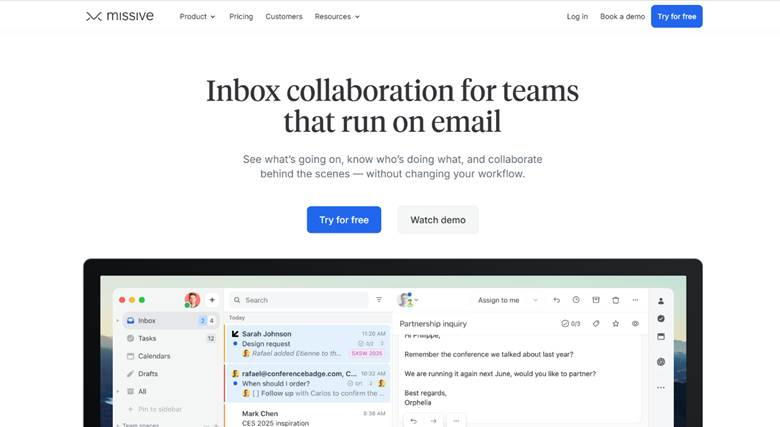
Missive combines email with team chat, making it a strong option for small businesses that need both communication and task management.
Unlike Fyxer, Missive focuses on team collaboration. Teams can assign emails, leave comments in threads, and manage tasks directly from their email account.
| Feature | Missive | Fyxer |
|---|---|---|
| Platforms | Gmail & Outlook | Gmail & Outlook |
| Shared Inboxes | Yes | Limited |
| Task Management | Yes | No |
| Chat Inside Threads | Yes | No |
| Pricing | Free plan; Paid from $14/mo | From $270/year |
8. Gmelius – Workflow Automation for Gmail

Gmelius is built for Gmail users who want automation and workflows without switching clients. It provides automated sorting, templates, sequences, and shared inboxes.
Unlike Fyxer, Gmelius focuses more on small teams and startups with limited budgets.
| Feature | Gmelius | Fyxer |
|---|---|---|
| Platforms | Gmail only | Gmail & Outlook |
| Automated Sorting | Yes | Yes |
| Shared Inboxes | Yes | Limited |
| Templates & Follow Ups | Yes | No |
| Pricing | Free plan; Paid from $9/mo | From $270/year |
9. SaneBox – Smart Inbox Filtering
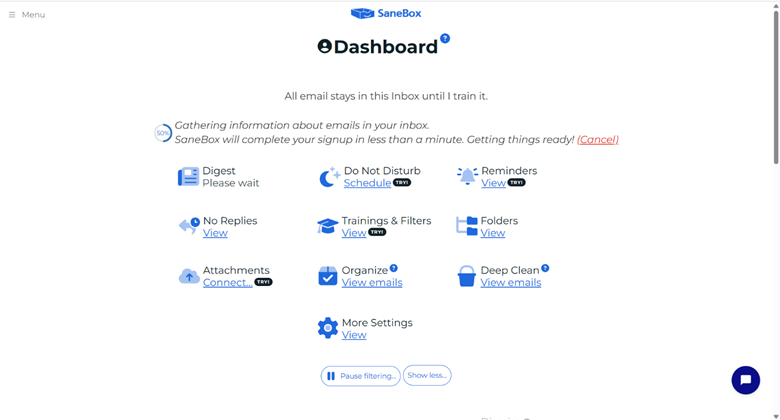
SaneBox is not a full AI assistant, but it is excellent for anyone overwhelmed by a chaotic inbox. It uses AI-powered automated sorting to move less important messages into folders, helping professionals focus on what matters.
| Feature | SaneBox | Fyxer |
|---|---|---|
| Platforms | Any email provider | Gmail & Outlook |
| Automated Sorting | Yes | Yes |
| Drafting Emails | No | Yes |
| Meeting Notes | No | Yes |
| Pricing | From $7/mo | From $270/year |
10. Google Workspace Duet AI – Native Gmail Alternative
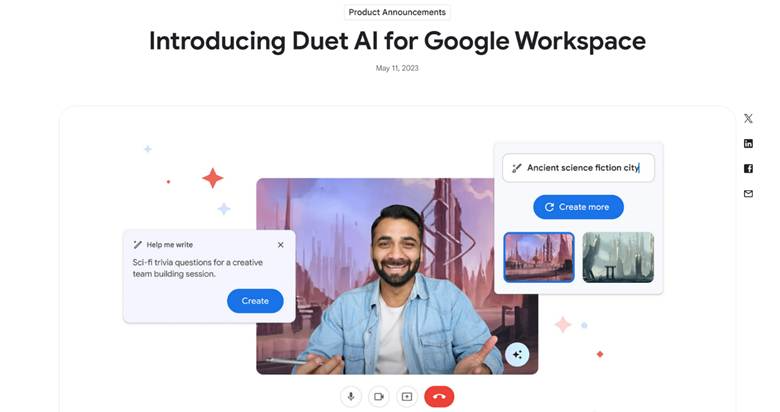
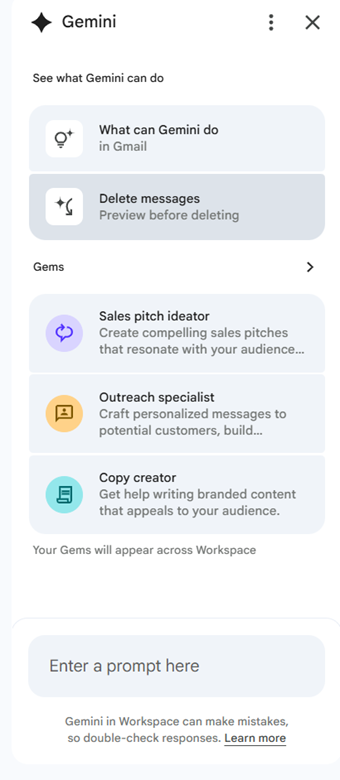
Duet AI (Also known as Gemini) is built into Google Workspace and integrates directly with Gmail and Google Meet. It can draft replies, summarize threads, and generate meeting notes from video calls.
Unlike Fyxer, Duet AI is fully embedded into Google’s ecosystem, making it a more natural fit for Gmail users.
| Feature | Duet AI | Fyxer AI |
|---|---|---|
| Platforms | Gmail (Workspace) | Gmail & Outlook |
| Drafting Emails | Yes | Yes |
| Summarize Threads | Yes | Yes |
| Meeting Notes | Yes (Google Meet) | Yes |
| Pricing | $20–30/mo add-on | From $270/year |
11. HeyHelp – Gmail-Native with AI Model Choice
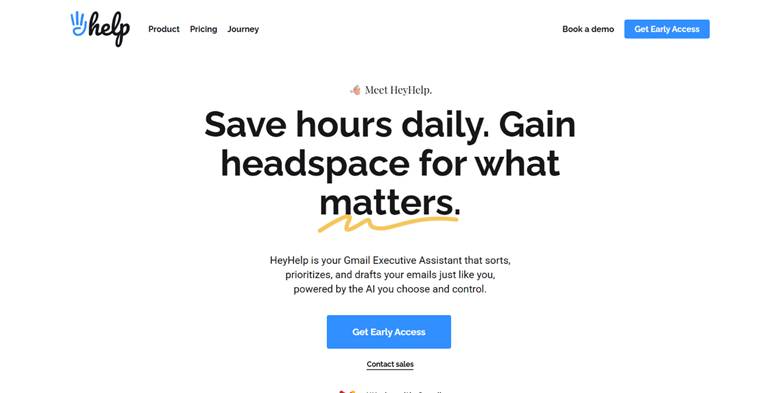
HeyHelp is a Gmail-native assistant that gives you the option to choose your AI model, such as OpenAI, Gemini, or Claude. Unlike Fyxer, which locks users into one approach, HeyHelp provides flexibility.
For Gmail users who value customization, this is a significant advantage.
| Feature | HeyHelp | Fyxer AI |
|---|---|---|
| Platforms | Gmail only | Gmail & Outlook |
| Drafting Emails | Yes | Yes |
| Shared Inboxes | Limited | Limited |
| Meeting Notes | No | Yes |
| Pricing | Free plan; Paid from $12/mo | From $270/year |
Conclusion
Fyxer AI has earned its place as a trusted inbox assistant, but it is not always the perfect fit. Some users want simpler automation, others need stronger collaboration, and many are searching for pricing that scales more comfortably. That is where alternatives shine.
Among them, MailMaestro rises as the best all-around option. It offers the same core strengths you expect from Fyxer AI, such as organized inboxes, natural email drafting, and scheduling support, while also adding collaboration tools, meeting notes through TeamsMaestro, and a free plan to get started. It is built for Gmail and Outlook users who want a practical and affordable way to keep communication under control.
If you are ready to streamline email management and get more done in less time, try MailMaestro today and see how much smoother your workflow can be.
Lorem ipsum dolor sit amet, consectetur adipiscing elit. Suspendisse varius enim in eros elementum tristique. Duis cursus, mi quis viverra ornare, eros dolor interdum nulla, ut commodo diam libero vitae erat. Aenean faucibus nibh et justo cursus id rutrum lorem imperdiet. Nunc ut sem vitae risus tristique posuere.


follow-up on our previous call, ask if he’s ready to start cooperation let him know that our discount ends tomorrow ask him if he had time to calculate roi


