

 MailMaestro pricing
 TeamsMaestro pricing








You know the detail is somewhere in last quarter's calls. Finding it means opening summaries one at a time, copying what you need, and rewriting it into an update.
TeamsMaestro can connect your meeting transcripts, summaries, and action items to ChatGPT. Ask about past meetings in plain English, and ChatGPT pulls the relevant details into a draft you can work with.
What TeamsMaestro does inside ChatGPT
With the AI TeamsMaestro plugin, ChatGPT can search the meeting history connected to your TeamsMaestro account. You describe the result you need. ChatGPT finds the meetings that matter and organizes what's in them.
So the search and the writing happen in the same chat.
How to connect TeamsMaestro to ChatGPT
Setup takes 4 steps:
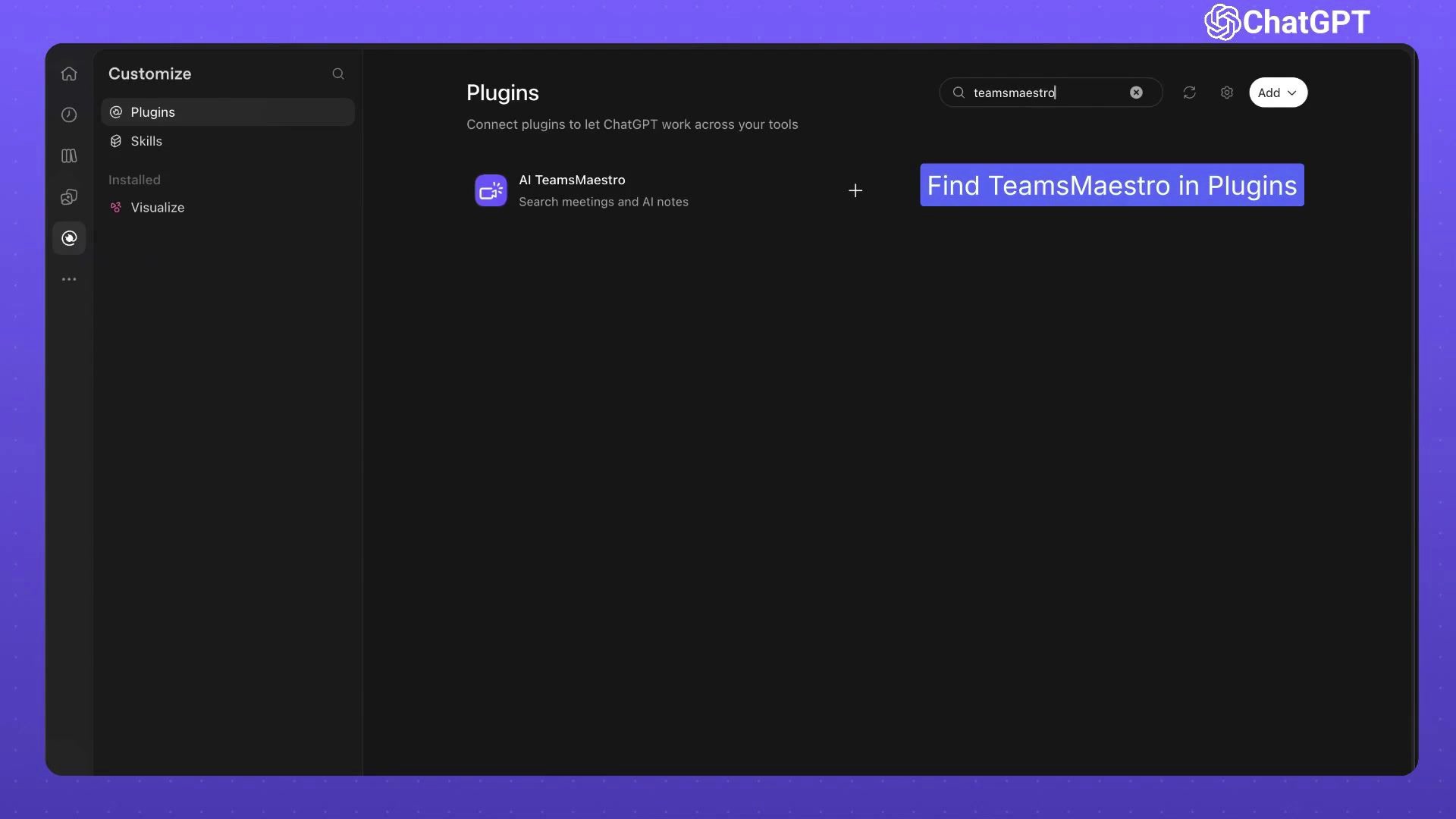
- Open Customize in ChatGPT and select Plugins.
- Search for TeamsMaestro and add the AI TeamsMaestro plugin.
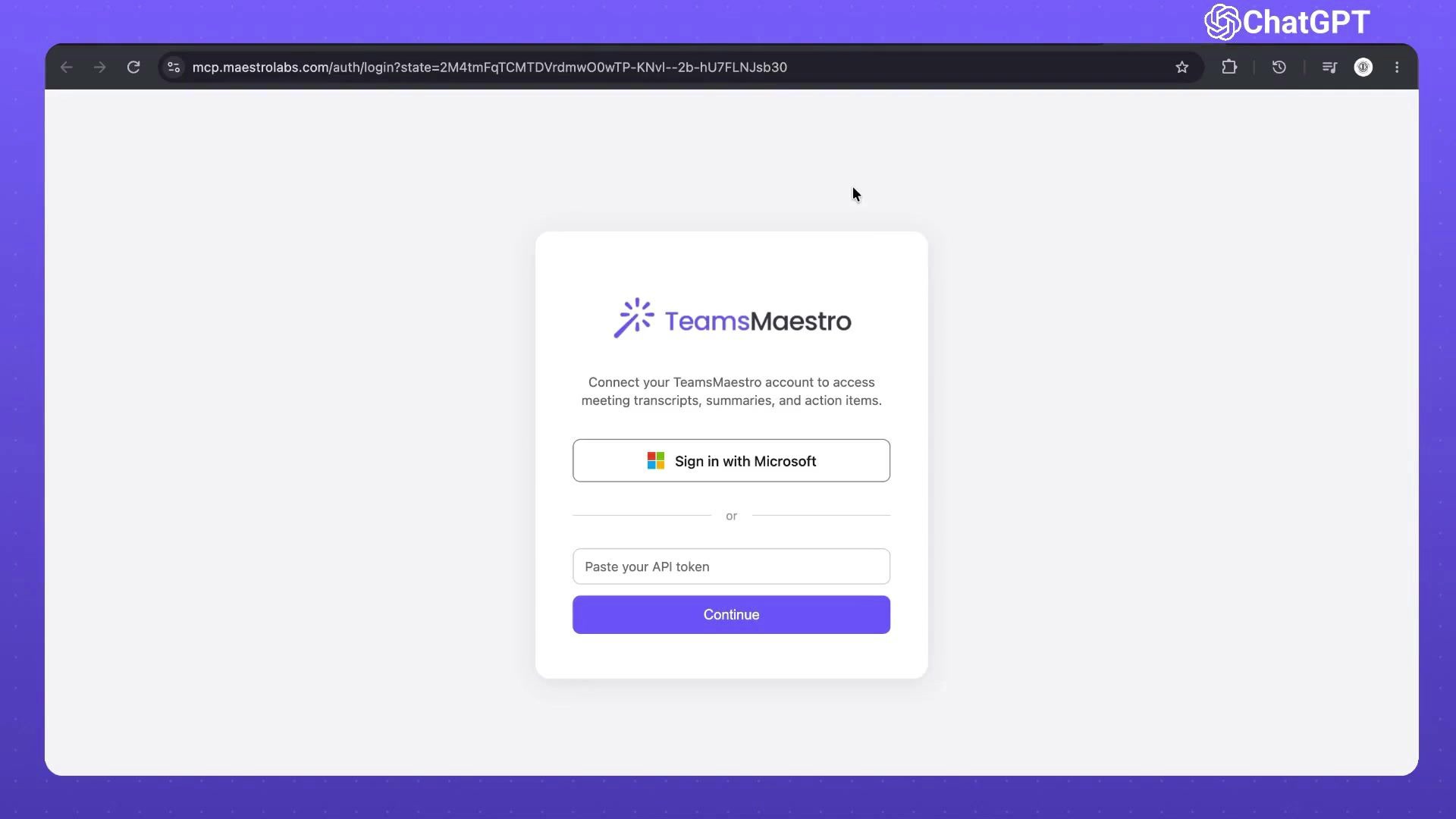
- Connect your TeamsMaestro account. You can sign in with Microsoft or paste your API token.
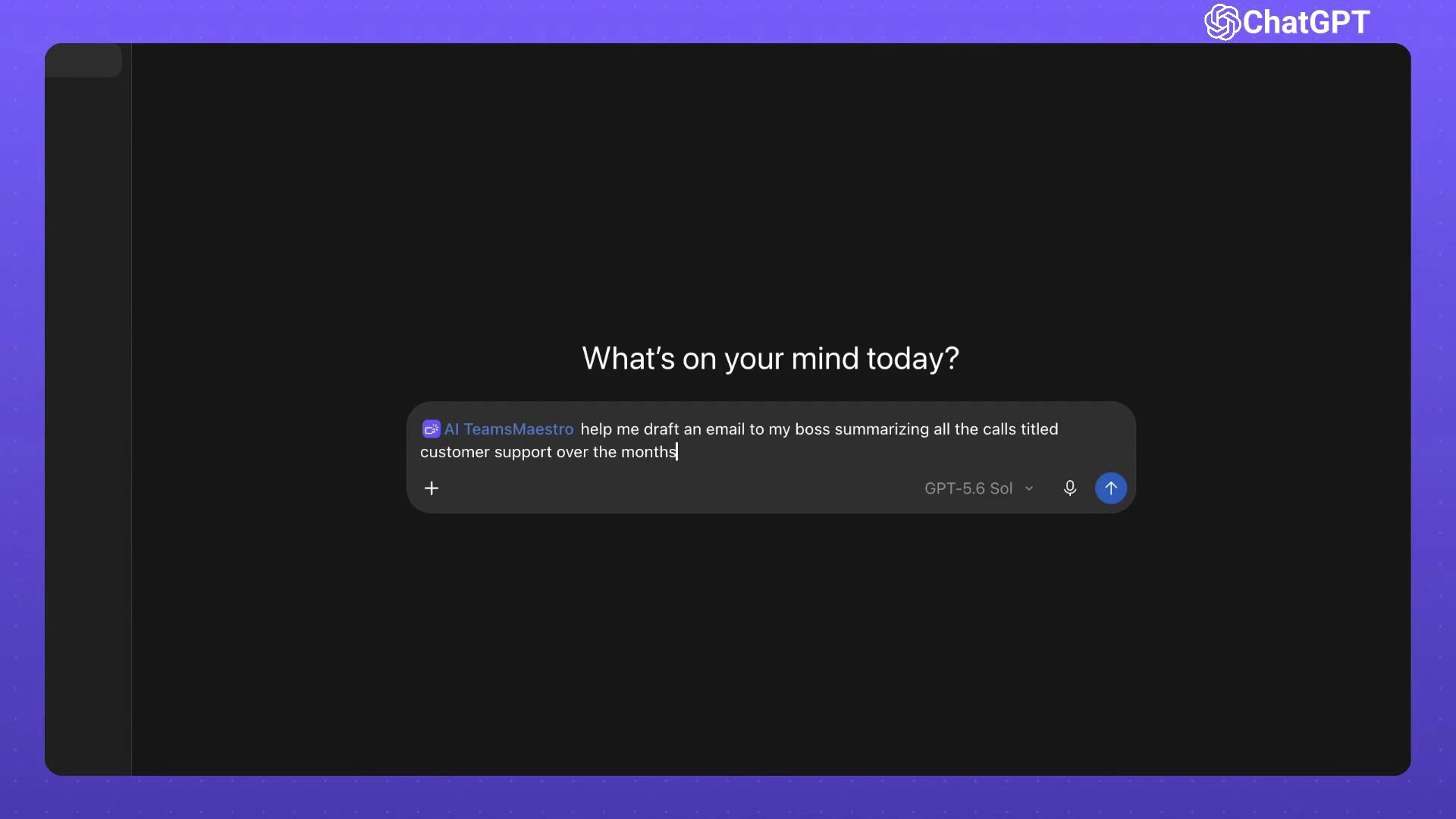
- Go back to a ChatGPT conversation, type @, and select AI TeamsMaestro from the plugin list.
Once it's selected, ChatGPT can search your meetings and AI notes as part of any request.
Write prompts that ask for a finished result
The best prompts name two things: which meetings you want, and what you want back.
Say you need to update your manager on this year's customer support calls. Ask TeamsMaestro to draft that email. ChatGPT searches your meeting history, pulls the relevant summaries and action items, and writes the draft from them.
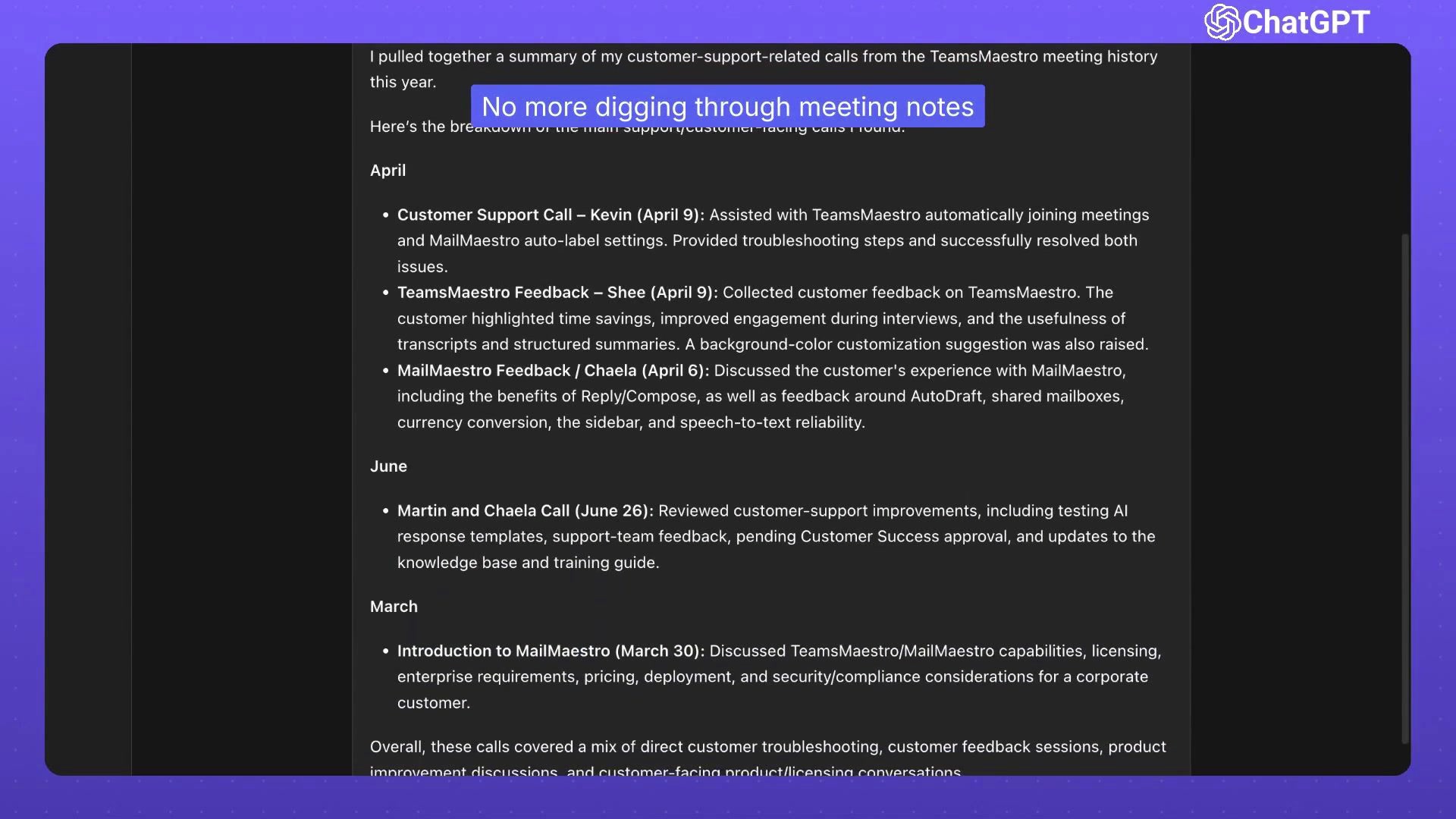
You don't get a list of meetings back. In this example, the draft groups the calls by month and lists each meeting's name and date. It sums up what was discussed in each call, then ends with the themes that kept coming up.
Refine the draft in the same conversation
After the first draft, ChatGPT suggests follow-up options, like putting the calls in chronological order or adding the total number of calls.
You can also ask in your own words. Make it shorter. Change the structure. Focus on the details your manager cares about most. The meeting context is already in the chat, so each change builds on the last draft instead of starting from scratch.
Try it on your own meeting history
Pick a real question from your last few months of meetings, like a status update or a recap of client calls, and ask TeamsMaestro in ChatGPT. Add the AI TeamsMaestro plugin to get started.


follow-up on our previous call, ask if he’s ready to start cooperation let him know that our discount ends tomorrow ask him if he had time to calculate roi


