How to Add TeamMaestro to Meetings
Learn three easy ways to add TeamsMaestro to your meetings and start capturing smarter notes without missing a beat.
There are several ways of adding TeamsMaestro to your Meetings. Follow these step-by-step guides:
Method #1: Connect your Calendar
The simplest way is to connect your calendar. Here’s how:
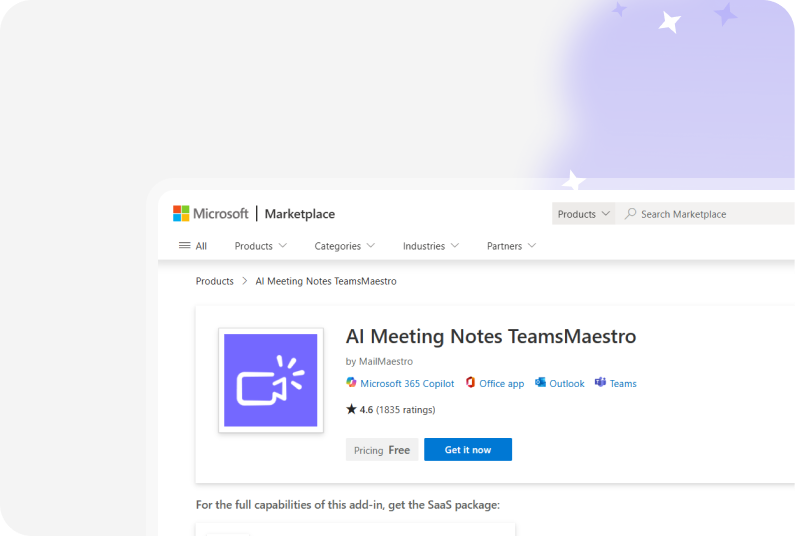
- Launch the TeamsMaestro app on Microsoft Team. Click the “view more apps” icon then type “AI Meeting Notes - TeamsMaestro” then click on it.

- Click on the Settings icon and navigate to the Calendar tab.

- Click the Connect Calendar button and click the Save button to apply the settings.

- Once your calendar is connected, you’ll see a list of upcoming meetings under the “Upcoming” tab. It should look like this:
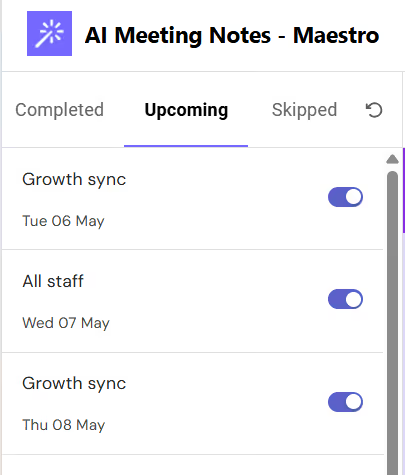
When the toggle is on, TeamMaestro will automatically join the meeting. If you want the bot to skip a meeting, simply turn off the toggle to prevent it from automatically joining.
Note: If you want to disconnect your calendar from TeamsMaestro for whatever reason, uninstalling the app is not enough. You’ll have to follow the steps on disconnecting the calendar so that the bot will not automatically join the meetings in your calendar.
Method #2: Add TeamsMaestro using a call link
TeamMaestro can still join your call even if it’s not synced into your calendar. You can do this by simply adding the meeting link. Here’s how:
- On the bottom left corner of the TeamsMaestro dashboard, you’ll find the text box where you can add a meeting link.

- Click on “Add bot” and TeamMaestro will promptly join the meeting room.
- In the meeting room, allow TeamsMaestro to join and it will begin taking notes.
Note: Another way to make TeamsMaestro join your meeting is by adding it as a participant when creating a meeting invite on Microsoft Teams. It will automatically attend any meetings it is invited to.
Conclusion
No matter how you like to run your meetings, adding TeamsMaestro is quick and easy. Whether you sync your calendar or just drop in a meeting link, you’ll always have a reliable note taker by your side, so you can stay focused on the conversation, not the minutes.
Languages we support
TeamsMaestro currently supports a wide range of languages for meeting summaries, transcripts, and AI responses — from English and Spanish to French, German, and many more. Our goal is to make every team’s communication experience seamless and inclusive, no matter the language.


If your preferred language isn’t supported yet, we’d love your feedback! Email us at feedback@maestrolabs.com to request new languages or share examples of what you’d like to see. Your input helps us shape the next updates of TeamsMaestro.
Final thoughts
Meeting summaries are no longer one-size-fits-all. With the Language and Template buttons in TeamsMaestro, you can create tailored, polished notes in seconds. Use these tools to communicate clearly, reduce follow-up work, and keep everyone aligned, wherever they are and however they work.
Languages we support
MailMaestro currently supports a growing range of languages for composing, summarizing, and improving your emails. From English and Spanish to French, German, and beyond — we’re expanding our capabilities to make AI communication accessible for everyone.
If your preferred language isn’t available yet, we’d love to hear from you! Email us at feedback@maestrolabs.com to request new language support or share specific examples. We’re continuously improving with your input.
Frequently Asked Questions